Edge Deck
A touchscreen dashboard for my desk. Tickets I can hand to Claude, my day at a glance, and a timer that tells me when to stop.
- What
- A dashboard for the strip of touchscreen under my monitor
- Hardware
- Corsair XENEON Edge, 14.5″ at 2560 × 720, over USB-C
- Runs on
- My Mac, nothing in the cloud. Tested on macOS 27.2
- Status
- In use every day
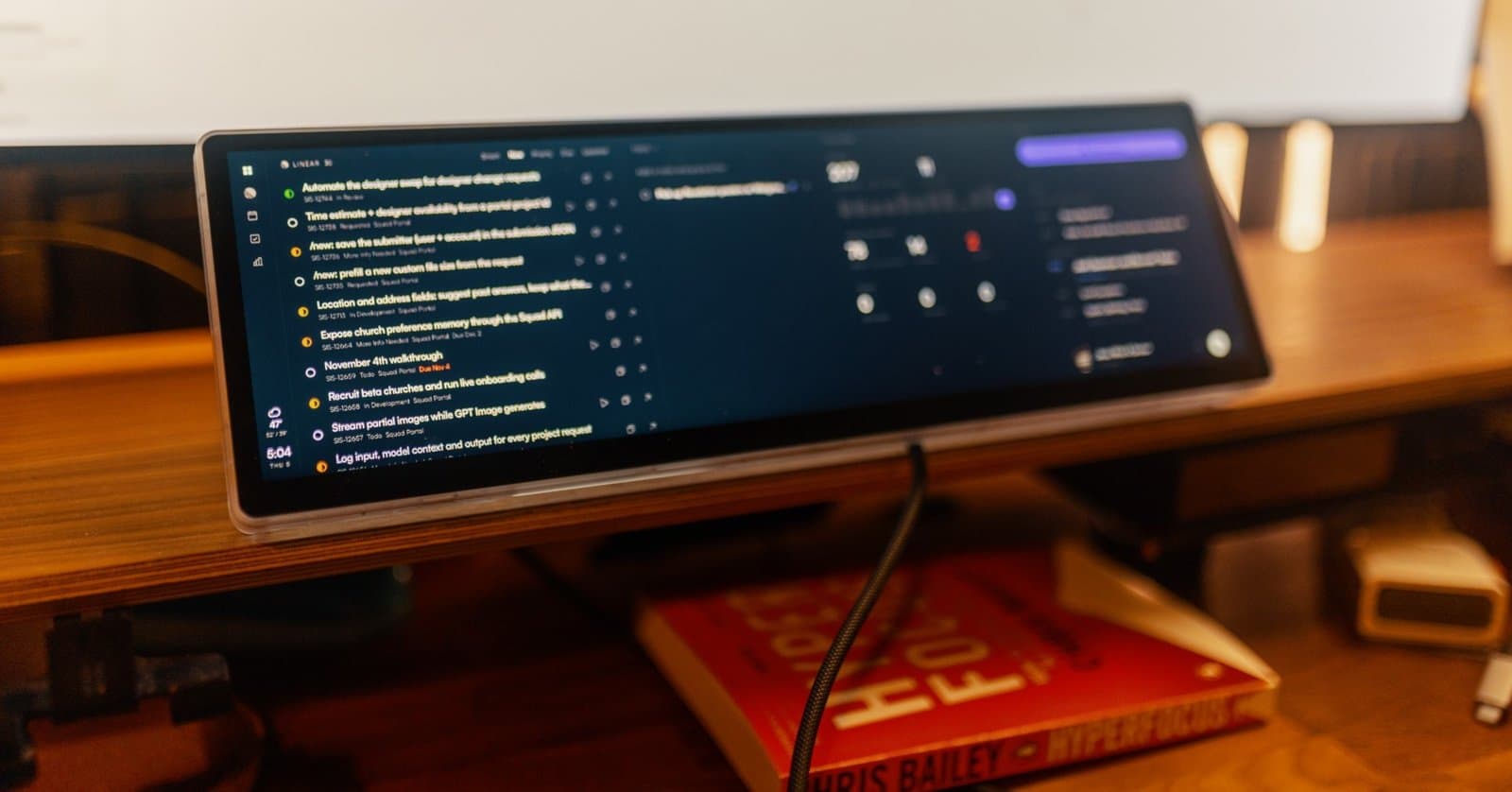
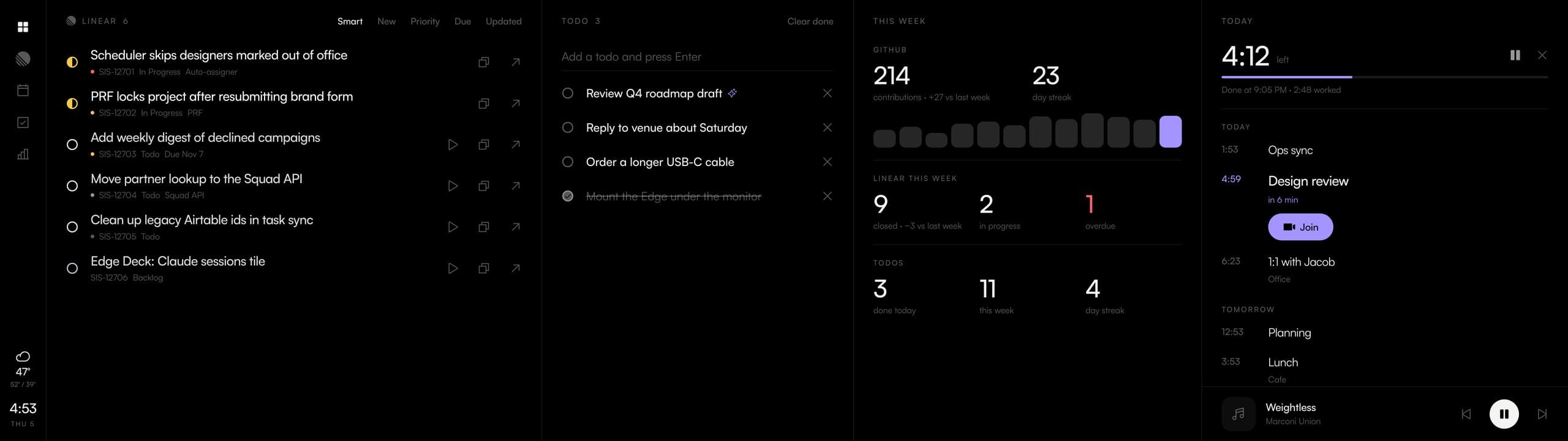
I got a Corsair XENEON Edge, a long touchscreen that sits under my main monitor. It comes with widgets, but I wanted the things I check all day in one place I could tap without leaving what I'm working on.
So I built my own with Claude. The first version came together in an afternoon, and I've kept adding to it since.
My Linear tickets, sorted the way I want. Each one has a button that copies a ready-to-go prompt, with the title, status and description, so I can hand a ticket to Claude in one tap. I can start a ticket or mark it done right from the screen.
A todo list Claude can add to when I ask. How I'm doing this week: tickets closed, GitHub activity and todos done. Today's and tomorrow's meetings with a big Join button, read straight from BusyCal, with the duplicate events I always end up with merged by Apple's on-device model.
A workday timer I start in the morning that counts down seven hours, and pauses for lunch. Plus the weather and what's playing.
The hardest part had nothing to do with the dashboard. On a Mac, the Edge's touch panel shows up as an ordinary touchscreen, and macOS sends every touch to your main display. Tap the Edge and you click whatever is in the same spot on your other monitor.
Edge Deck takes over the touch panel while it runs and handles the touches itself, so taps, scrolling and text fields work on the Edge and my mouse never moves. Getting there meant finding out the panel is really three devices, that macOS's permission check sometimes says no when the answer is yes, and that every rebuild lost its permissions until I signed the app properly.
I pulled the touch and window handling into a small starter project, so anyone with an Edge and a Mac can skip that part and build their own screen. It's set up and tested on macOS 27.2 with the Edge on USB-C.
- Tauri 2
- Rust
- Next.js
- Claude Code
- Apple Foundation Models
- Open-Meteo